
 No idle charging and heating system
 Professional Chargers
 EV charging solutions
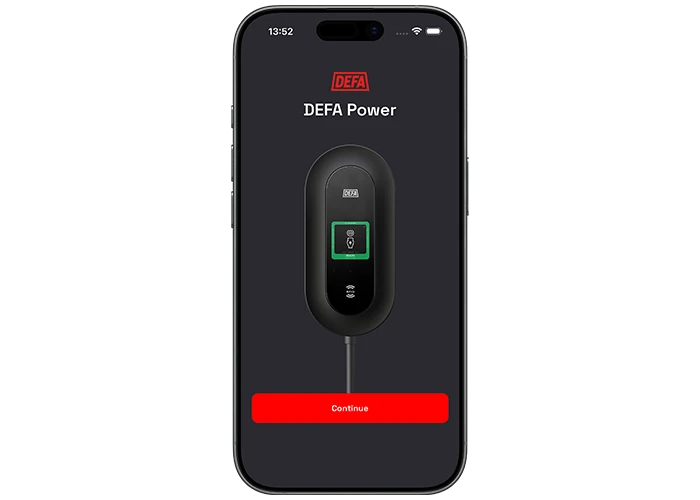
The DEFA Power app makes charging easier. Take full control of your home charging schedule and optimize based on fluctuating electricity prices. The app also lets you lock your charger or share access with family and friends.
Monitor your power consumption
The DEFA Power app makes it easy to stay in control of your energy use. You can check the charging status, decide when to charge, and turn charging on or off.
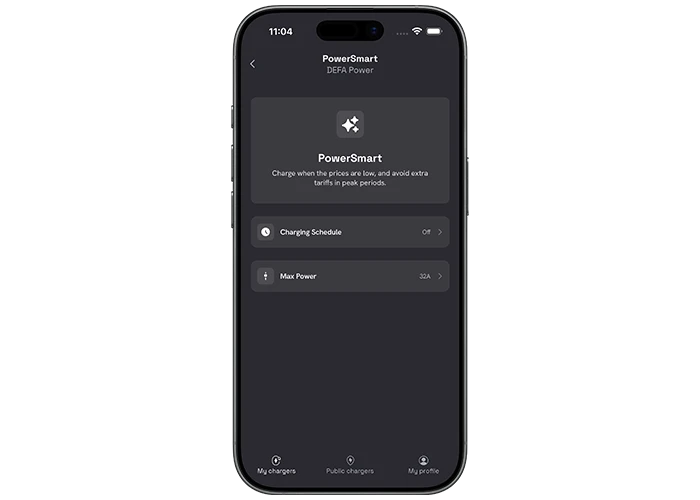
PowerSmart – charging optimization
With PowerSmart, you can control your charging schedule and power consumption.
Charging Schedule – If you want to control your charging schedule, you can easily set the days and the time periods you wish to charge your vehicle.
MaxPower – Reduce the charging power if your home has limited electrical capacity or other large appliances in use. This helps prevent your circuit breaker from unexpectedly tripping..
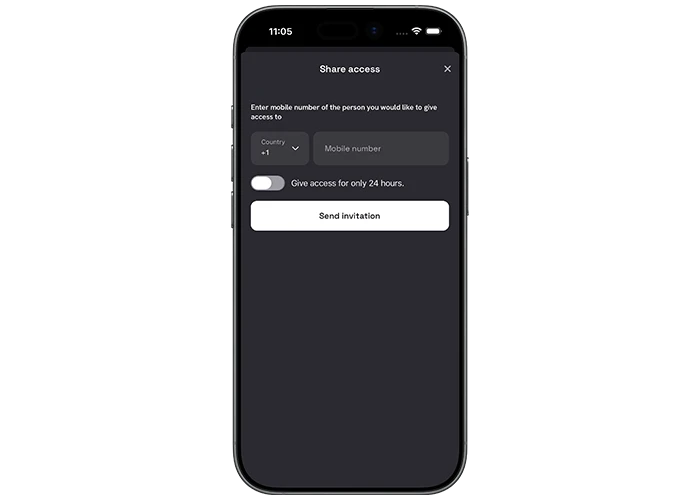
Protect and share access to your charger
You can easily share your charger with family and friends through the app whenever you want. You can also lock the charger while you are away to prevent unauthorized use.
Download the app – and start charging today!
Available for iOS and Android


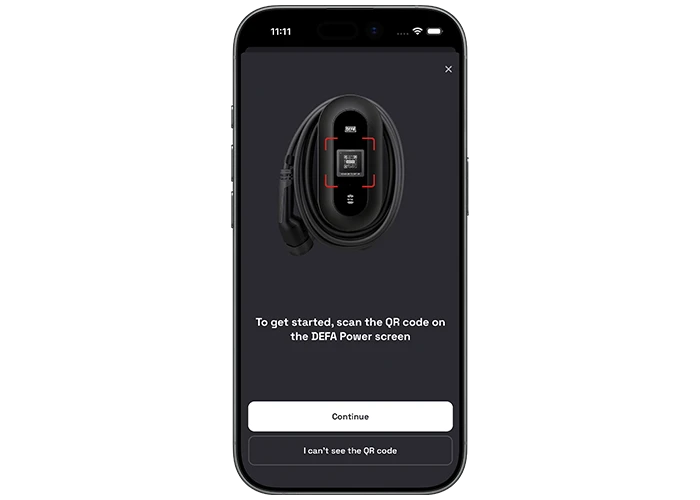
Set up your DEFA Power
If DEFA Power is installed using a NEMA 14-50 plug, you need to complete the setup in the DEFA Power app before you start charging. Scan the QR code on the display of the charger and follow the instructions.
(If you have a wired installation, the electrician will complete the setup*).
*After the wired installation of your DEFA Power, you receive an SMS invitation to your charger. Download the app and log in using the mobile number that received the invitation. Your charging station will then appear in the app.
PowerSmart support; click here


