
 No idle charging and heating system
 Professional Chargers
 EV charging solutions
DEFA Power installation – hard wired
– installation by certified electrician
Warning! DEFA Power with hard-wired installation has to be installed by a certified electrician. These guide are intended for installers only.
Congratulation on your DEFA Power!
There are two options for installation of DEFA Power; by NEMA 14-50 plug, or hard-wired installation. If you prefer a hard-wired installation, you need to contact a certified installer. If would like to mount your DEFA Power using a NEMA 14-50 socket, you can read more here: DEFA Power with NEMA plug installation
Follow the instructions in the installer manual or in this video:
You can also check the easy step-by-step guide below👇
1
Prepare for installation
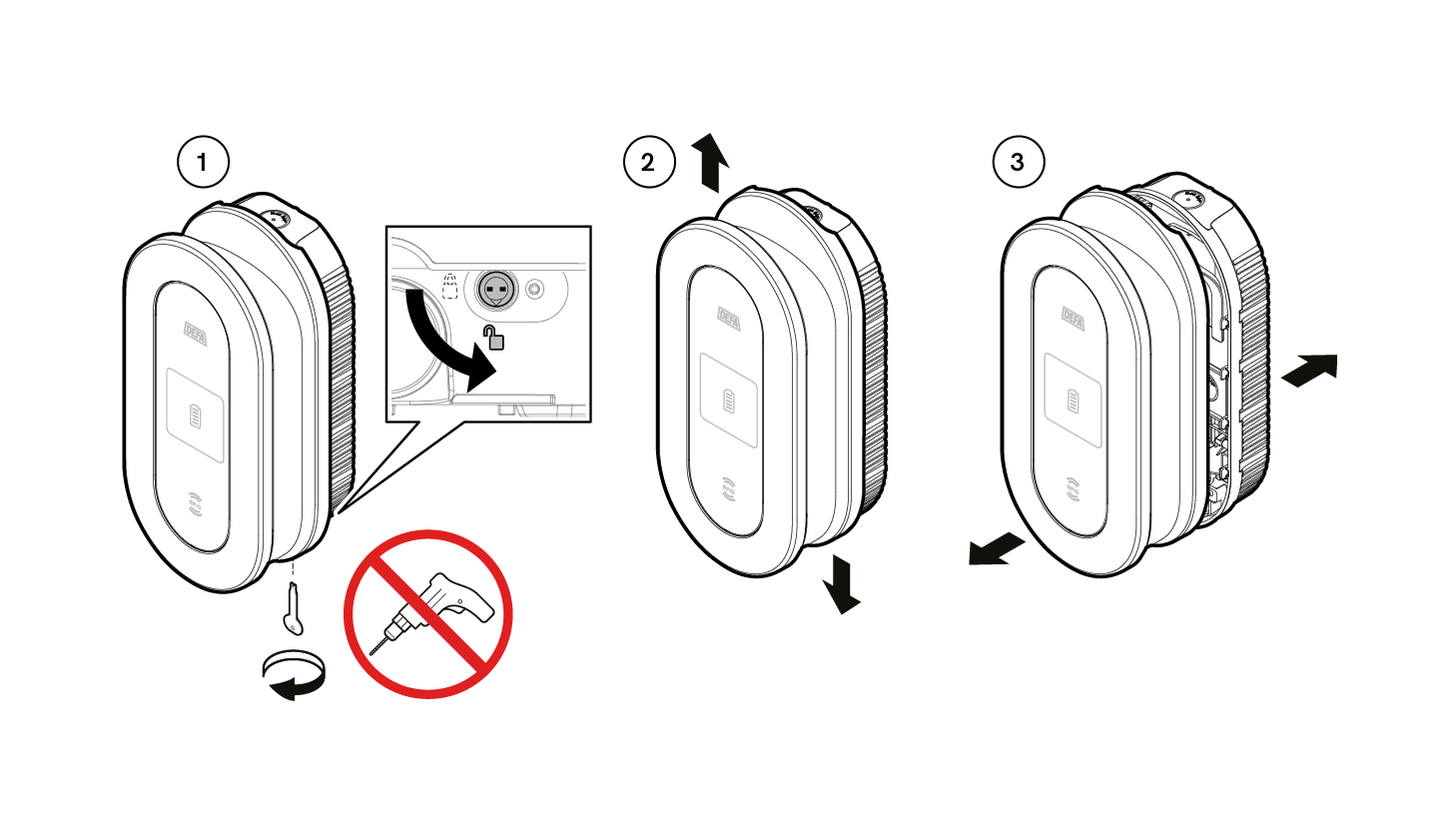
Make sure that the locking level is in open position (1). Then separate the Wall bracket from the Charging Unit by sliding the two in opposite direction (2), and then pull them apart (3).
2
Choose the appropriate entry point
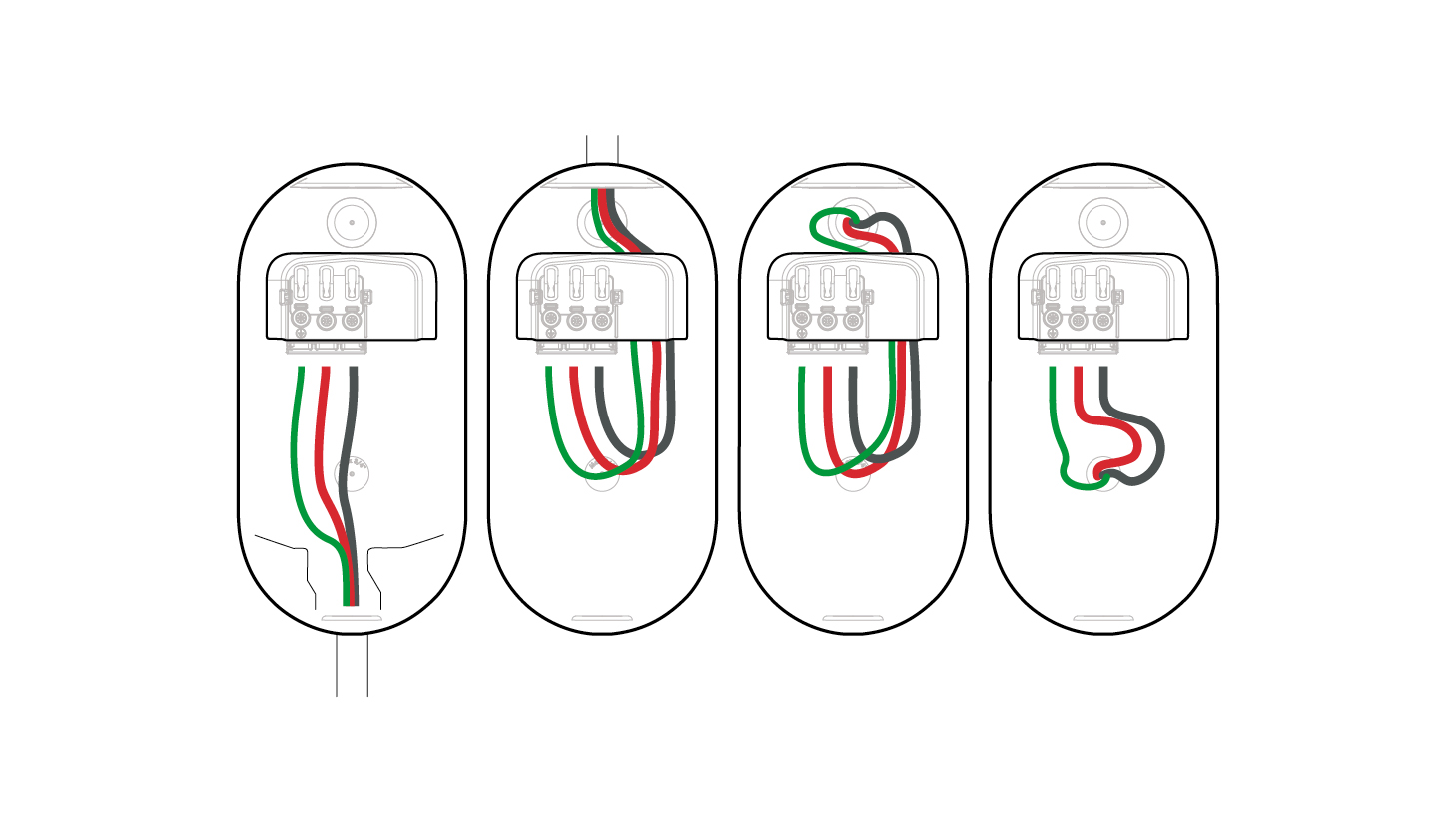
Choose the appropriate entry point for the hardwired supply cable — top, rear, or bottom.
3
Install the Wall bracket
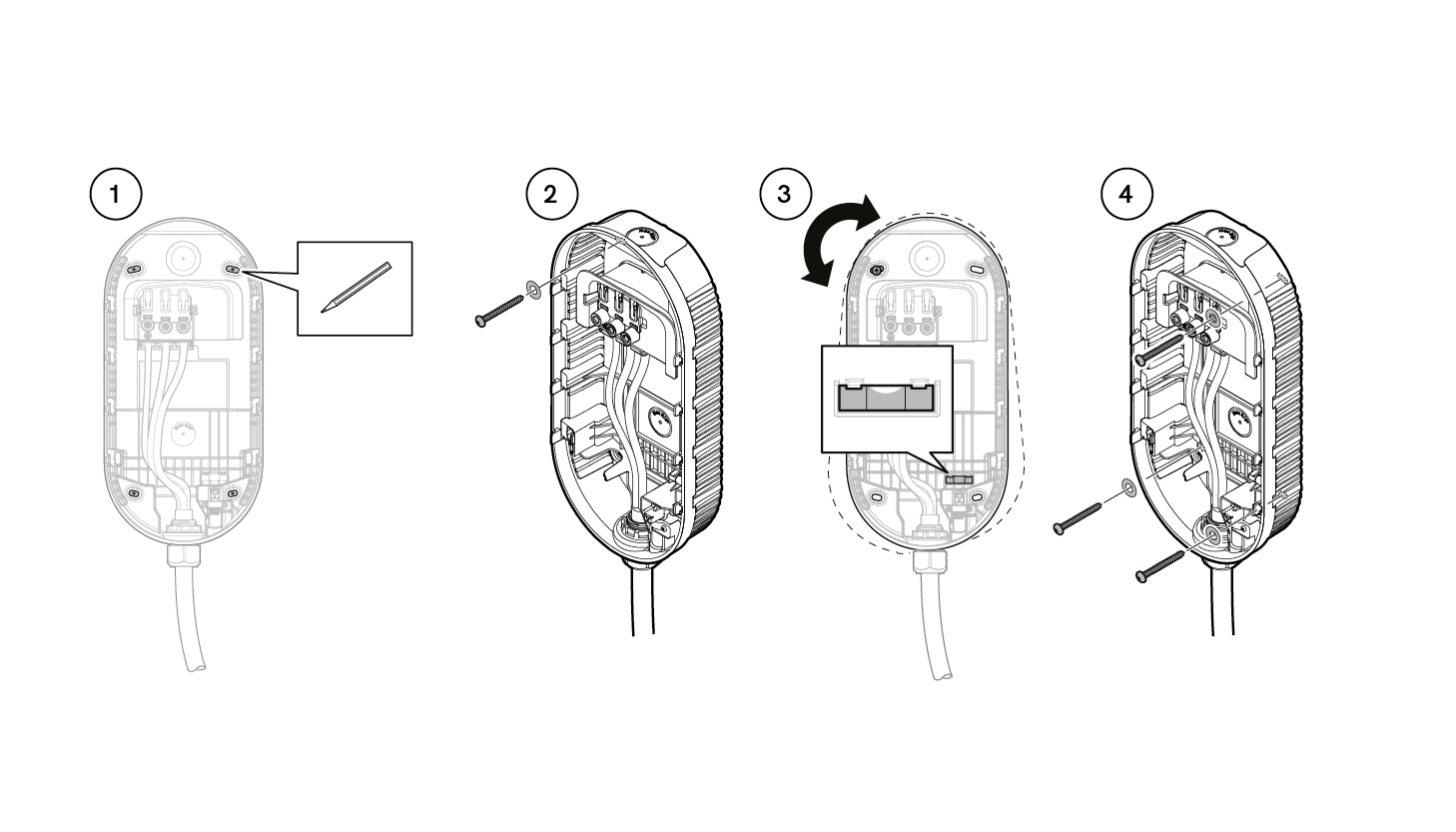
- Mark the four fixing points on the wall, using the Wall Bracket as a template.
- Attach the Wall Bracket with one screw using one of the points marked above.
- Use the built-in level to align the charger. If needed, use wall plugs.
- Insert and tighten the screws in the remaining screw holes to secure the bracket to the wall.
Connect the Charging Unit by pushing the male terminal pins into the female terminals on the Wall Bracket.
4
Hardwired Installation
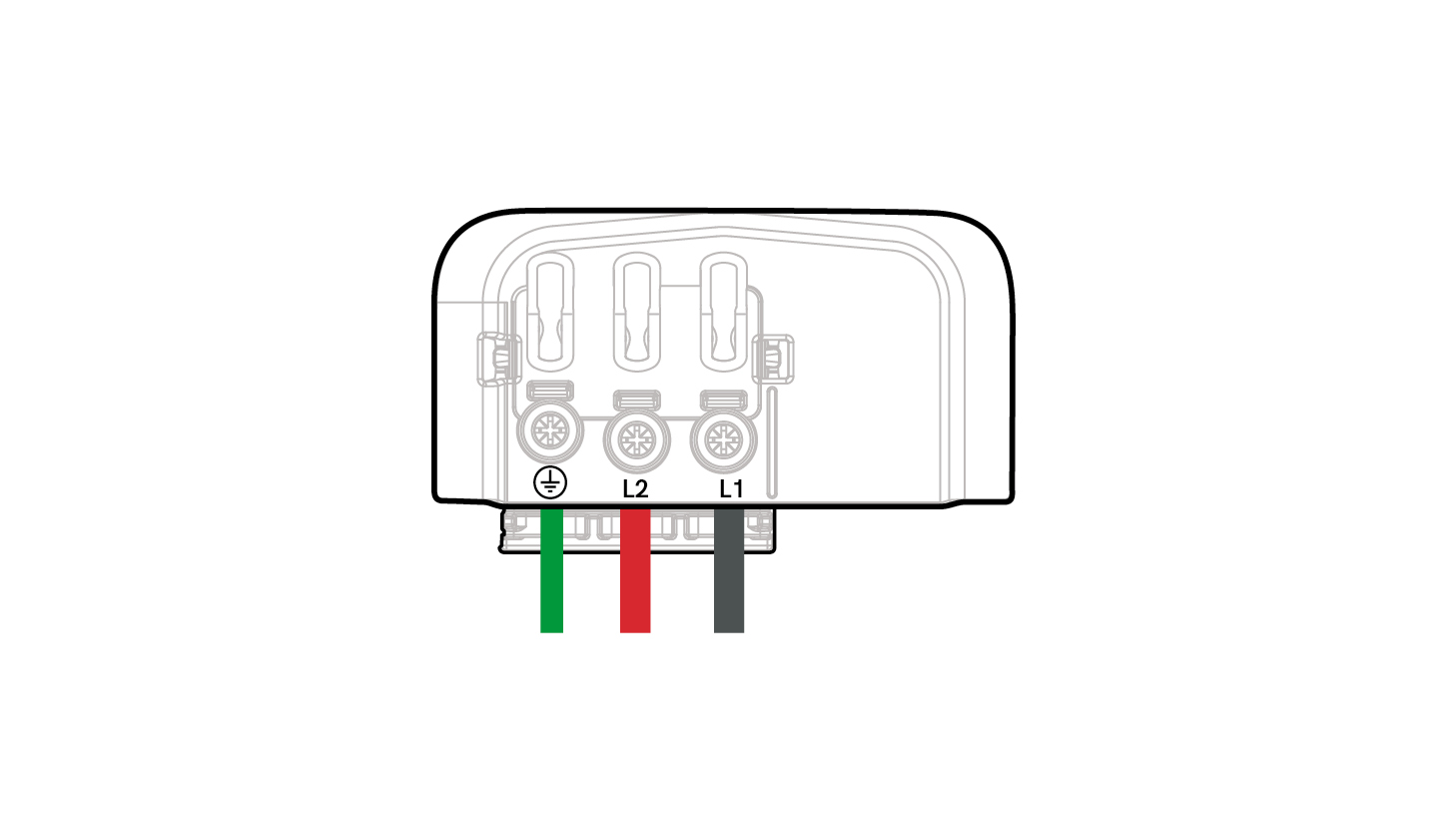
Connect the wires according to the wiring diagram on the wall bracket.
Secure the cable using a grommet or a PG gland to ensure strain relief and proper sealing.
5
Install the Charging Unit
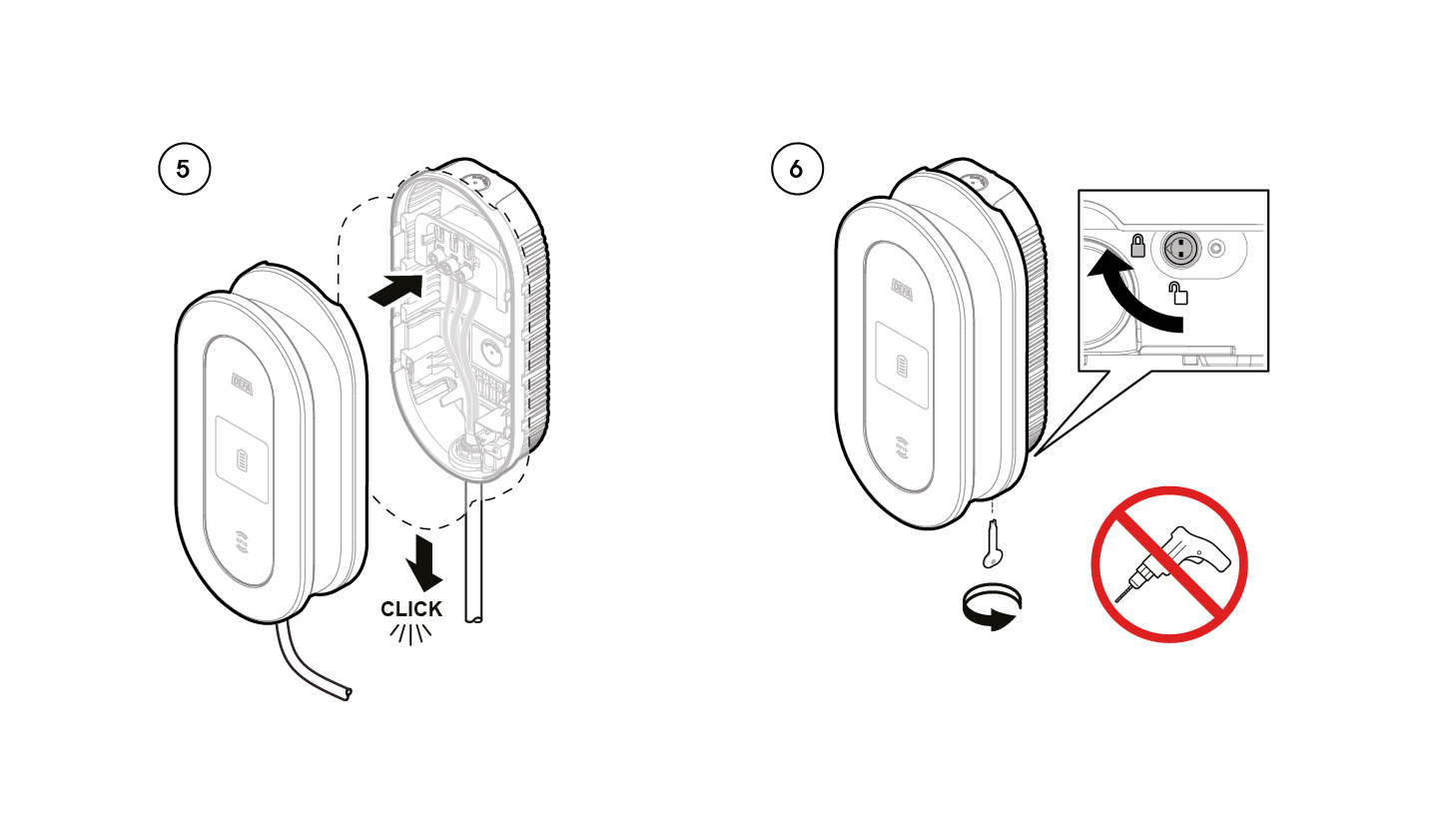
- Connect the Charging Unit by pushing the male terminal pins into the female terminals on the Wall Bracket. Slide the charging unit down until you hear a “click”. See the illustration.
- Using the included locking tool, turn the lever from the unlocked position to the locked position.
Once the installation has been completed, reconnect the power supply.
5
Reconnect Power supply
Once the installation has been completed, reconnect the power supply.


